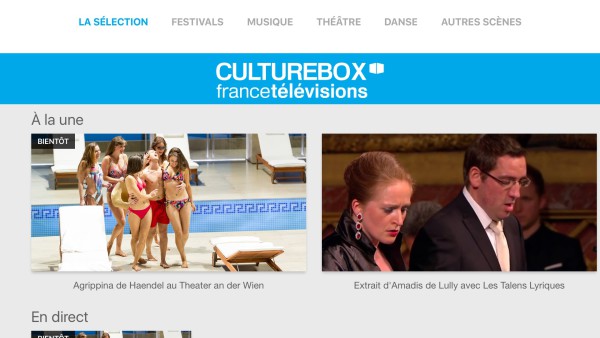
We have just published on the AppStore a new version of our Culturebox app that was (briefly) featured in the last Apple Keynote. Although it looks very similar to the previous version we published back in October, and provides access to the same catalog of live and replay videos, it contains some major changes under the hood. Let's review them.
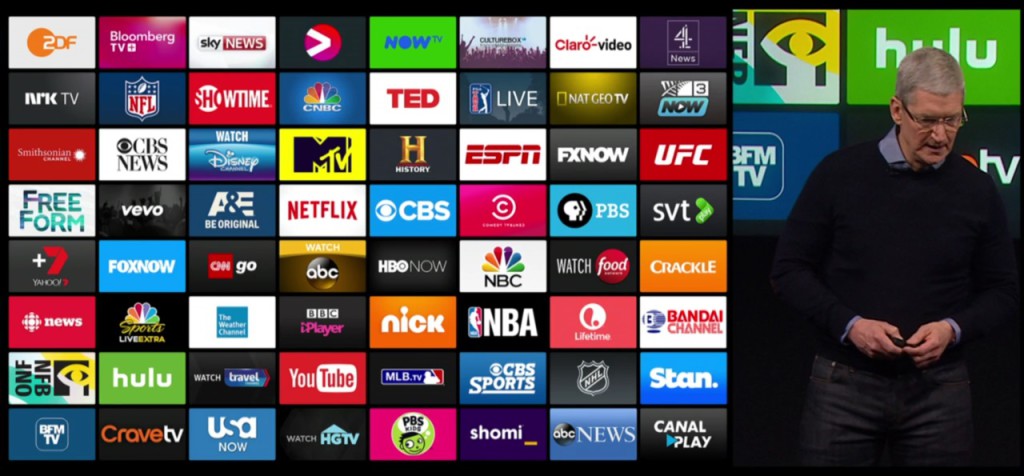
Tim Cook shows some of the apps available on the new Apple TV at the last keynote - look for Culturebox!
Culturebox V1: TVML and TVJS
For the first version of Culturebox on Apple TV we decided to use the new language provided by Apple for tvOS: TVML. We chose it for several reasons:
- faster project startup: the example code provided by Apple made it easier for us to build a new app "from scratch"
- closeness to technologies used in our other Smart TV apps (which are usually Javascript-heavy)
- availability of customizable UI templates to simplify the design of the different screens (which also introduce some limitations in the design).
What is TVML ? A TV specific Markup Language designed by Apple to build apps in a language close-to-but-not-really like HTML. Apple chose to remove WebKit (the HTML rendering engine) from tvOS altogether, so it was no longer possible for developers like us to port existing Smart TV apps written in HTML5, like we did on Android TV with Webviews for example. TVML is a replacement for HTML/CSS in the presentation layer, and is associated with a JavaScript-based framework named TVJS to handle the business logic (yes even if there is no HTML support on Apple TV, you can still use JavaScript). The global architecture of TVML apps is described below:
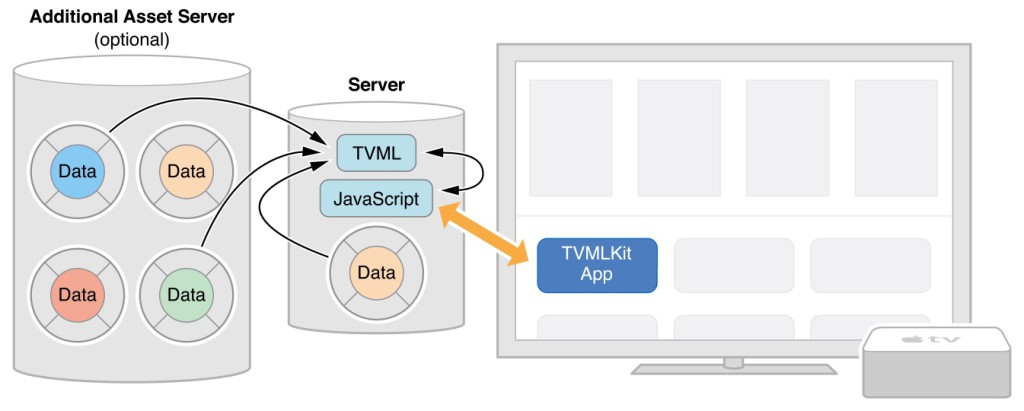
Architecture of a TVML app
The TVML files (the presentation layer) and JS files (the business logic) need to be hosted on a server, and link to external resources like videos and pictures. On the Apple TV itself a "container" written in native code (Swift or Objective-C) will launch the JS app (defined by its URL), optionally passing some initialization data. The JS app will then load static TVML pages (or build them dynamically) and handle user interactions. Apple provided several ready-made TVML templates that can be used and follow all the visual guidelines. For our first Culturebox app we decided to build a very simple app using mostly the Stack Template to present the Culturebox contents in different screens.
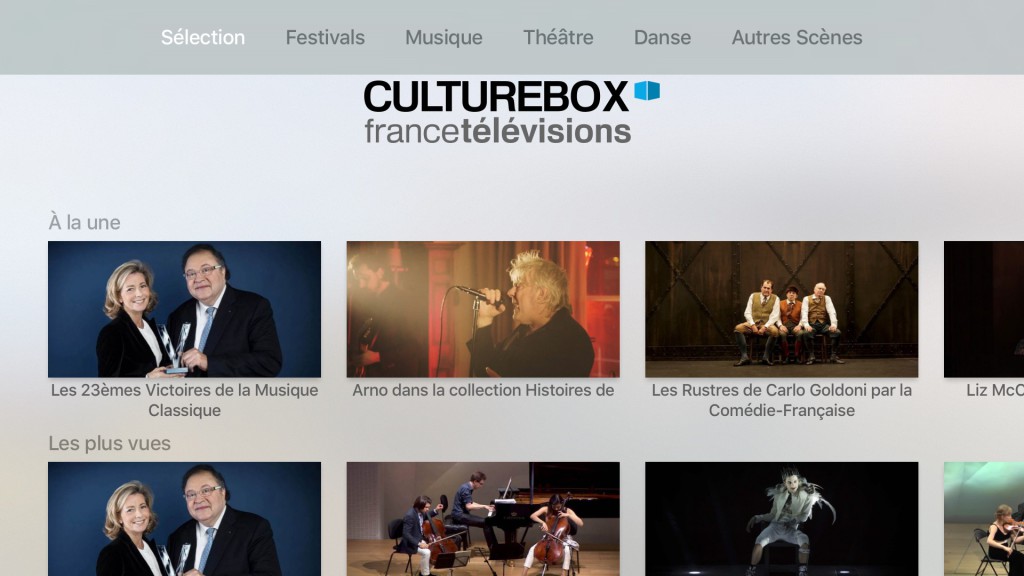
Culturebox V1
Initially we tried to inject the data dynamically into the TVML templates using JavaScript; however we faced several issues, mostly related to the number of XHR calls needed to retrieve all the data, as well as some difficulties in linking all the screens. So to gain time - and performance - we decided to pre-render all the TVML screens server-side, using a NodeJS server. That way the code base on the client remained quite light, all the heavy lifting (calling the different APIs and building the screens) was done on the server. In our setup the screens were generated every 30 minutes by the NodeJS server and then cached by our CDN.
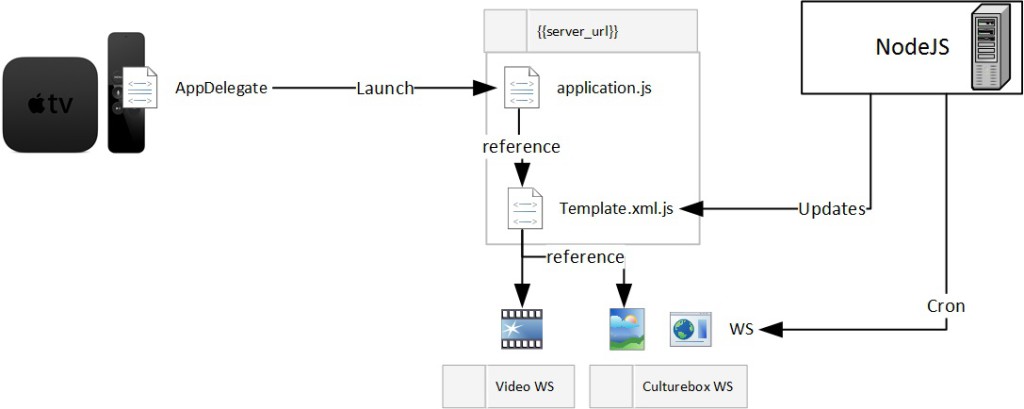
Culturebox V1 app architecture
The app was launched on time for the Apple TV commercial launch, and was rapidly featured on the App Store. Success!
Culturebox V2: going native
However we were not completely satisfied by this first version. To meet the deadlines we took several shortcuts when building the app; for example, analytics were poorly implemented, resulting in app usage statistics that could not really be trusted. We also chose to use the native video player and did not implement any error or video session management, which prevented us from having visibility on the video playback experience. Finally building static screens, even if they are updated every 30 minutes, meant the tvOS app missed one of the key features available on other Culturebox applications: being able to watch a cultural event live.
So in early 2016 we decided that we should build a new version of the app with at least the following improvements:
- Integrate the France Television standard iOS Player, which includes video analytics, QoS and various API endpoint integrations;
- Properly implement application analytics to track application usage;
- Generate all screens dynamically on the client side;
- Customize the look & feel of the application to align it on the website and iPad application.
The last 3 changes could have been implemented using TVML/TVJS, but integrating a new video player required native development. Since we did not plan to reuse any code from the V1, and to simplify the project, we decided to rewrite the application entirely in native/Objective-C code.
So in early March we started working on the new version. Development was quite smooth on the UI side, as UIKit is actually used by TVML we were able to maintain the general look & feel of the application (with a few tweaks) as well as the neat features like the 3D "parallax" effect applied to thumbnails in all carousels. By generating all the screens on the client we can now show users when an event is currently broadcasted live ("en direct"), and allow them to "tune-in".

Culturebox V2
The main issues with encountered were related to the integration of a new video Player. As we chose to reuse our existing iOS player, we had to remove several functions which used APIs not available in tvOS. We also had to build an UI that allowed navigation using the Apple TV remote (and its trackpad). We could customize the appearance of the video information panel that appeared on top of the video when you slide down, but we had to develop our own "scrubbing" mechanism to allow the user to rewind and fast-forward in a video by swiping left and right; unfortunately Apple does not provide example code for this, and to have a behavior similar to the "native" video player you are on our own. There is still room for improvement in our implementation, especially as Apple has changed the behavior of the default video player in tvOS version 9.2: it is no longer possible to scrub a video during playback, the user must first pause the video, then scrub, then restart the video.
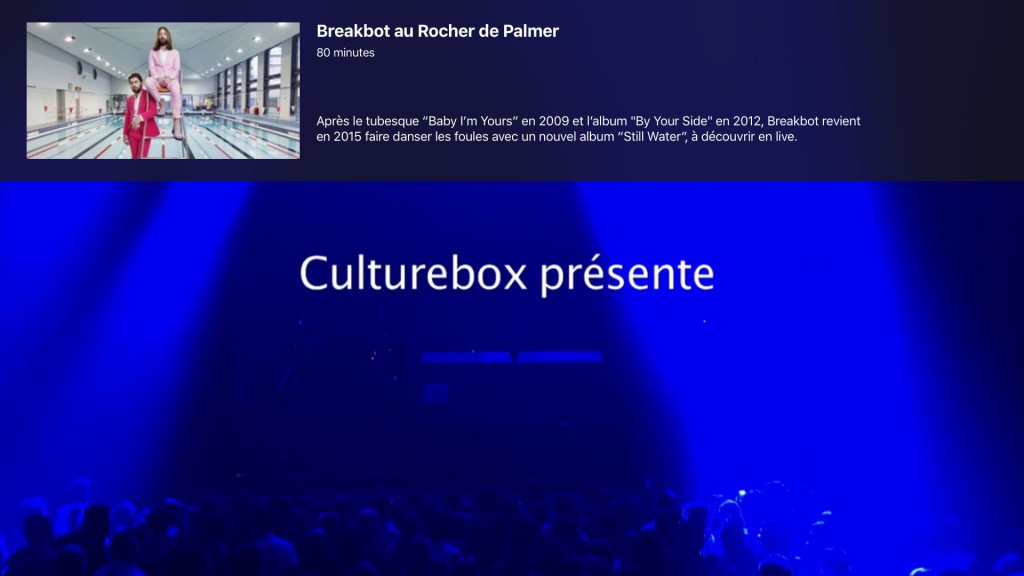
The new Culturebox video player
The new video player
What's next
Overall we found it quite easy to develop an app on Apple TV both using TVML or native Objective-C. Each approach has its pros and cons, depending on your main objective and preferred development language. In our case, we might try in the future to build an "hybrid" app, reusing the native FranceTV video player we have ported on tvOS in an app built mostly in TVML. This way we will be able to better leverage our development resources, as our web developers will be able to work on the UI and business logic (in TVML/TVJS) while our mobile developers will deal with all video related features as well as deeper integrations with tvOS. This would be close to what we do on Android TV, where our Java developers work on the video player and specific Android TV integrations while our web developers work on the HTML interface, displayed in a webview. To be continued!